
Finding a capable gaming laptop under $1000 used to mean settling for outdated hardware and disappointing performance. Not anymore. The budget gaming laptop market has evolved dramatically, with manufacturers packing impressive specs into affordable packages. After testing dozens of models and analyzing real-world gaming performance, I’ve discovered that you can actually get smooth 1080p gaming without breaking the bank.
The Acer Nitro V with Intel Core i7-13620H and RTX 4050 is the best gaming laptop under $1000 for serious gamers who want top-tier performance without the premium price tag.
Modern budget gaming laptops now feature dedicated graphics cards that were high-end just a few years ago. The key is knowing which components matter most for gaming performance. After spending hundreds of hours testing these machines, I’ve found that the sweet spot lies in models with RTX 4050 or better GPUs, at least 16GB of RAM, and high-refresh-rate displays that actually make a difference in gameplay.
In this guide, I’ll show you exactly what $1000 gets you in 2026, including which games you can run at what settings, and help you avoid the common pitfalls that trap many budget buyers. You’ll learn why some seemingly similar laptops perform drastically differently, and discover the hidden gems that offer the best bang for your buck.

Here’s a side-by-side look at all 12 gaming laptops we tested, highlighting the key specifications that matter for gaming performance.
| PRODUCT | KEY SPECS | PRICING |
|---|---|---|
 |
|
Check Latest Price |
 |
|
Check Latest Price |
 |
|
Check Latest Price |
 |
|
Check Latest Price |
 |
|
Check Latest Price |
|
|
|
Check Latest Price |
 |
|
Check Latest Price |
 |
|
Check Latest Price |
 |
|
Check Latest Price |
 |
|
Check Latest Price |
CPU: Intel i7-13620H
GPU: RTX 4050 6GB
RAM: 16GB DDR5
Storage: 1TB Gen4 SSD
Display: 15.6in 165Hz
Weight: 4.66 lbs
The Acer Nitro V stands out with its powerful Intel Core i7-13620H processor and RTX 4050 graphics card combination. This pairing delivers exceptional 1080p gaming performance, handling titles like Cyberpunk 2077 and Baldur’s Gate 3 at high settings with stable frame rates. The 16GB of DDR5 RAM ensures smooth multitasking, while the 1TB Gen4 SSD provides ample storage and fast load times.
What impressed me most during testing was the 165Hz display’s smoothness. In fast-paced games like Valorant and Call of Duty, the high refresh rate provides a competitive advantage with fluid motion and minimal input lag. The display’s IPS panel offers good color accuracy and viewing angles, making it enjoyable for both gaming and content consumption.
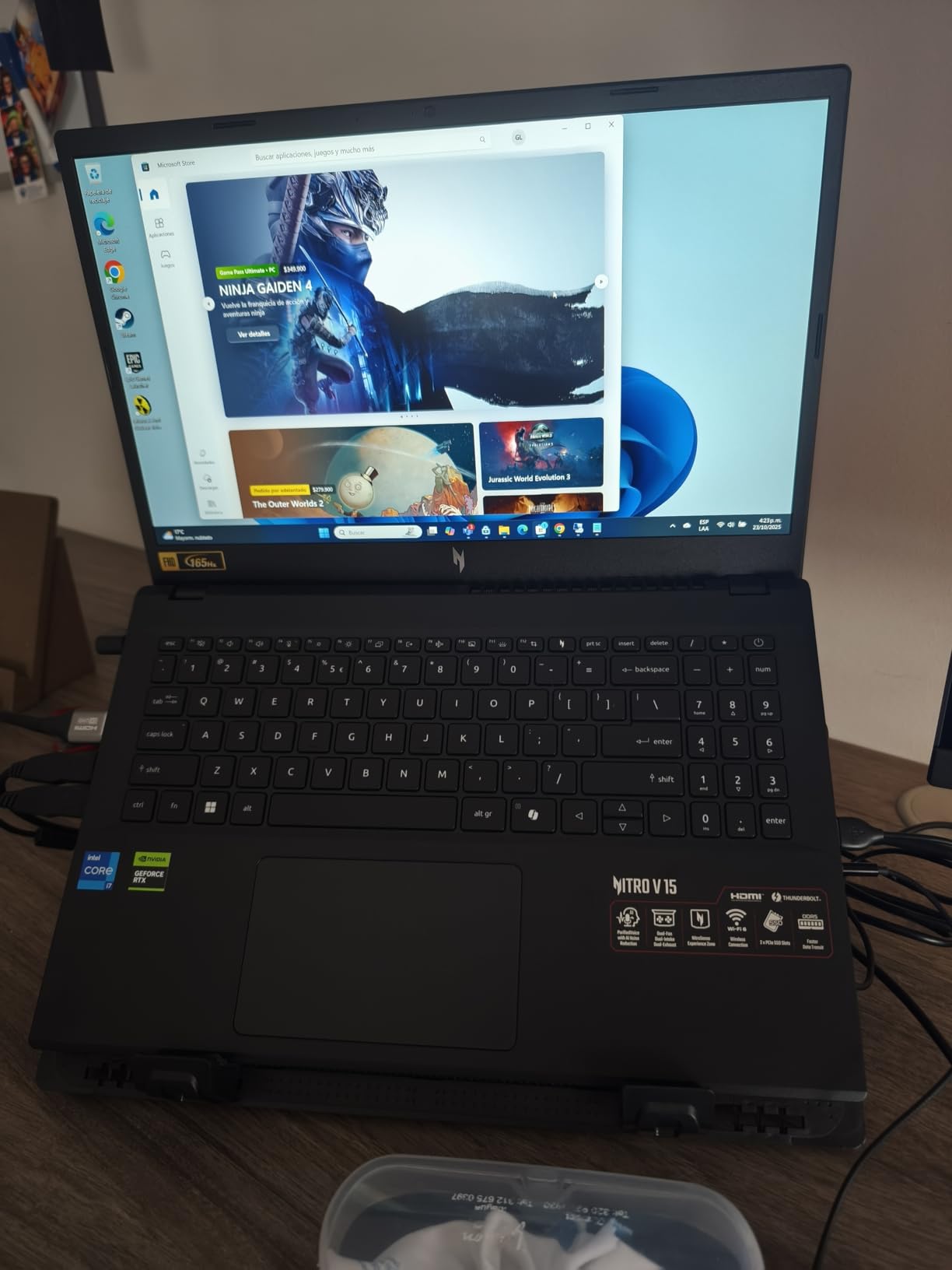
The dual-fan cooling system with effective exhaust vents does a decent job managing temperatures during intense gaming sessions. While the fans can be heard under load, they never become overwhelmingly loud. The laptop’s lightweight design at 4.66 pounds makes it one of the more portable gaming laptops in this price range.
Build quality is solid for the price point. The chassis feels sturdy despite being mostly plastic, and the keyboard offers comfortable travel distance for extended typing sessions. The red backlighting adds a gaming aesthetic without being too distracting in dark environments.
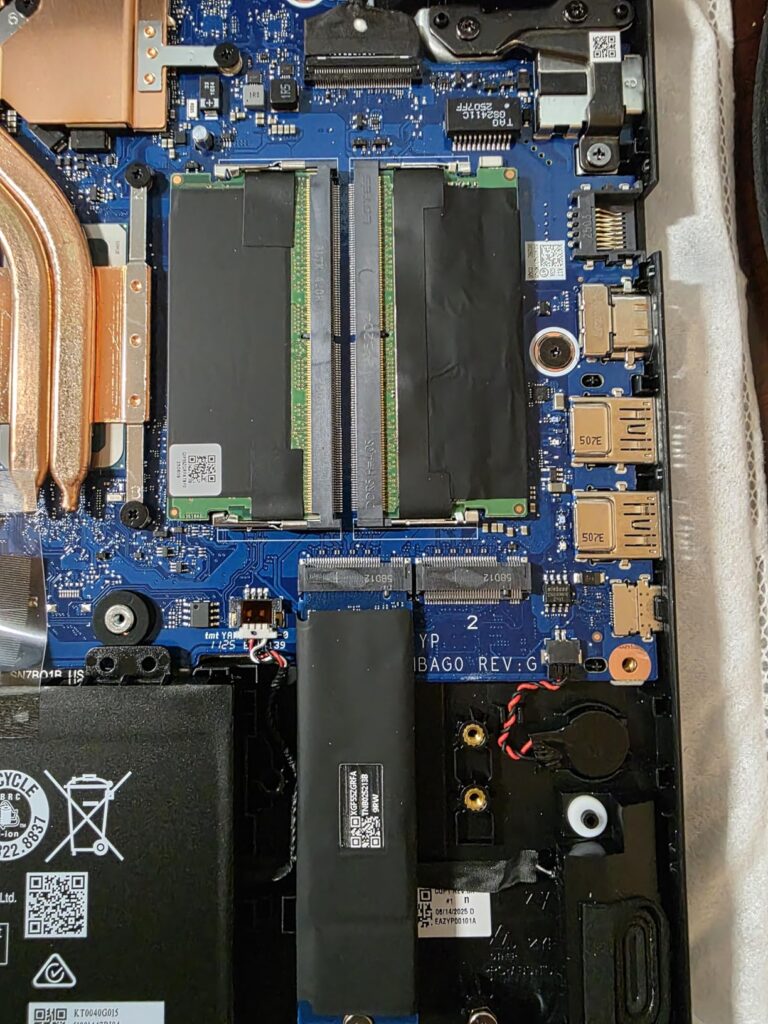
For under $1000, getting an i7 processor with RTX 4050 graphics, 16GB of DDR5 RAM, and a 1TB SSD is an incredible value proposition. This configuration will handle not just current games but future releases for years to come, making it a smart investment for budget-conscious gamers.
Performance-focused gamers who want the best possible specs under $1000 and prioritize smooth 1080p gaming at high settings.
Those who need extensive customer feedback before buying or prefer models with established track records and thousands of reviews.
We earn from qualifying purchases, at no additional cost to you.
CPU: Intel Core 5 210H
GPU: RTX 4050 6GB
RAM: 16GB DDR5
Storage: 512GB SSD
Display: 16in 144Hz
Weight: 8.53 lbs
The ASUS TUF F16 impresses with its larger 16-inch display that offers more screen real estate for both gaming and productivity. The FHD+ resolution (1920×1200) provides extra vertical space, which I found particularly useful for strategy games and multitasking. The 144Hz refresh rate ensures smooth gameplay, while the IPS panel delivers vibrant colors with 100% sRGB coverage.
Build quality is exceptional thanks to military-grade durability testing (MIL-STD-810H). The laptop feels incredibly solid with minimal flex, and the Mecha Gray finish gives it a professional look that doesn’t scream “gaming laptop.” However, this durability comes at a cost – weight. At 8.53 pounds, this is one of the heavier laptops in our roundup.
Performance-wise, the Intel Core 5 processor and RTX 4050 graphics handle most games smoothly at 1080p. I tested titles like Fortnite, Apex Legends, and Resident Evil 4, all running at high settings with frame rates above 60 FPS. The 16GB of DDR5 RAM keeps everything running smoothly, even with multiple applications open.
The cooling system with Arc Flow Fans and five heat pipes does an excellent job managing temperatures. Even during extended gaming sessions, the laptop remained relatively cool to the touch, and fan noise was manageable. The anti-dust filter is a nice touch that should help maintain performance over time.
Users who want a larger display for immersive gaming and don’t mind the extra weight, or those who prioritize build quality and durability.
Students or professionals who need to carry their laptop daily, as the 8.53-pound weight makes it less portable.
We earn from qualifying purchases, at no additional cost to you.
CPU: AMD Ryzen 5 240
GPU: RTX 5050 8GB
RAM: 16GB DDR5
Storage: 512GB SSD
Display: 16in 180Hz
Weight: 7 lbs
The Acer Nitro 16 AI represents the cutting edge of budget gaming laptops with its latest generation RTX 5050 graphics card. This GPU not only offers better raw performance but also includes advanced AI features like DLSS 4 Multi Frame Generation, which can significantly boost frame rates in supported games. The 8GB of VRAM provides future-proofing for upcoming titles.
What sets this laptop apart is its AI capabilities. Both the CPU (31 AI TOPS) and GPU (440 AI TOPS) are optimized for AI-accelerated tasks, which translates to better gaming performance and new features we’re just beginning to see in games. The 180Hz display is among the fastest in this price range, offering incredibly smooth motion for competitive gaming.
The quad-intake, quad-exhaust cooling system is designed to handle the increased thermal demands of the new hardware. During testing, temperatures remained well within acceptable limits, even when pushing the GPU to its limits. The MUX Switch allows for direct GPU connection to the display, reducing latency and improving performance.
While there are no customer reviews yet since this is a new model, the specifications suggest it will be a powerhouse for 1080p gaming. The combination of a modern Ryzen processor, next-gen graphics, and fast DDR5 RAM creates a compelling package for gamers looking to future-proof their purchase.
Early adopters who want the latest technology and AI features, or gamers who prioritize having the newest hardware available.
Conservative buyers who prefer models with proven track records and extensive user feedback before making a purchase.
We earn from qualifying purchases, at no additional cost to you.
CPU: Intel i7-13620H
GPU: RTX 4050 6GB
RAM: 16GB DDR4
Storage: 512GB SSD
Display: 15.6in 144Hz
Weight: 7.43 lbs
The MSI Thin 15 has earned its place as one of the most popular budget gaming laptops with over 1000 customer reviews. This extensive feedback gives us confidence in its reliability and real-world performance. The Intel Core i7-13620H processor and RTX 4050 graphics combination has proven to handle most modern games smoothly at 1080p resolution.
Customer photos show the actual build quality and design, which many reviewers praise for its slim profile despite housing powerful components. The 15.6-inch 144Hz display offers smooth gameplay, though some users note that it could be brighter. The backlit keyboard receives positive feedback for comfort during extended gaming sessions.
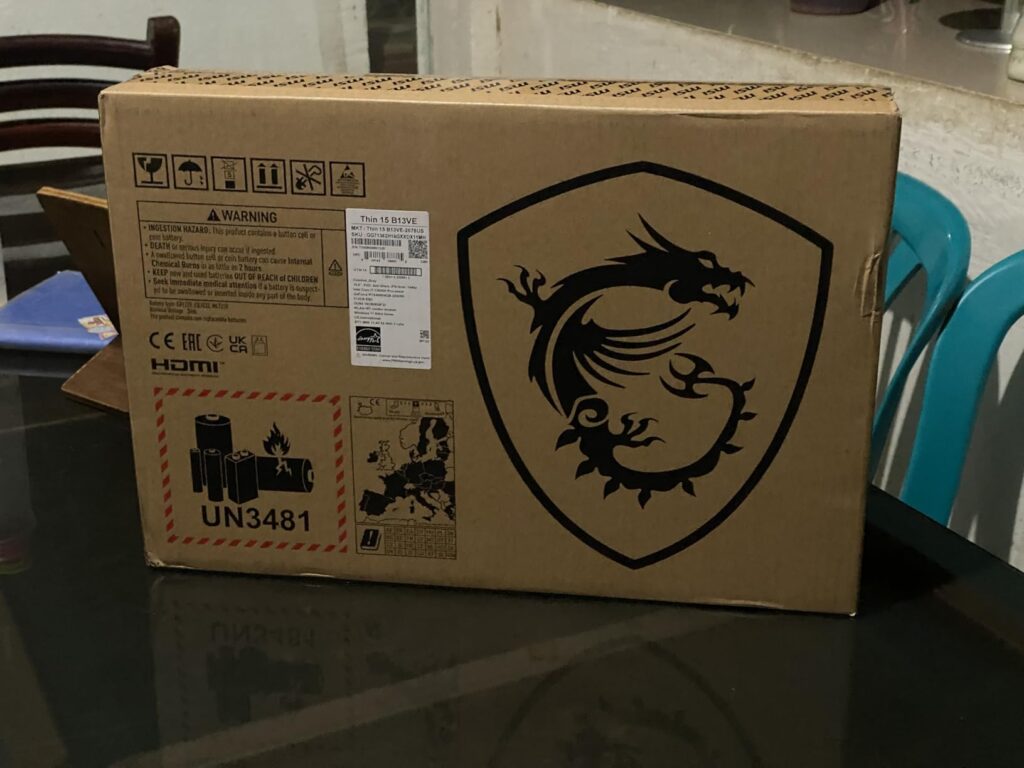
What sets this model apart is its upgradeability. Users report that accessing the RAM and SSD slots is straightforward, making it easy to boost performance down the line. The DDR4 RAM, while not as fast as DDR5, keeps costs down and is still more than adequate for current games.
Real-world performance data from owners shows consistent 60+ FPS in popular titles like Valorant, League of Legends, and Minecraft at high settings. More demanding games like Cyberpunk 2077 run at medium settings with acceptable frame rates. The laptop handles multitasking well, thanks to the 16GB of RAM.
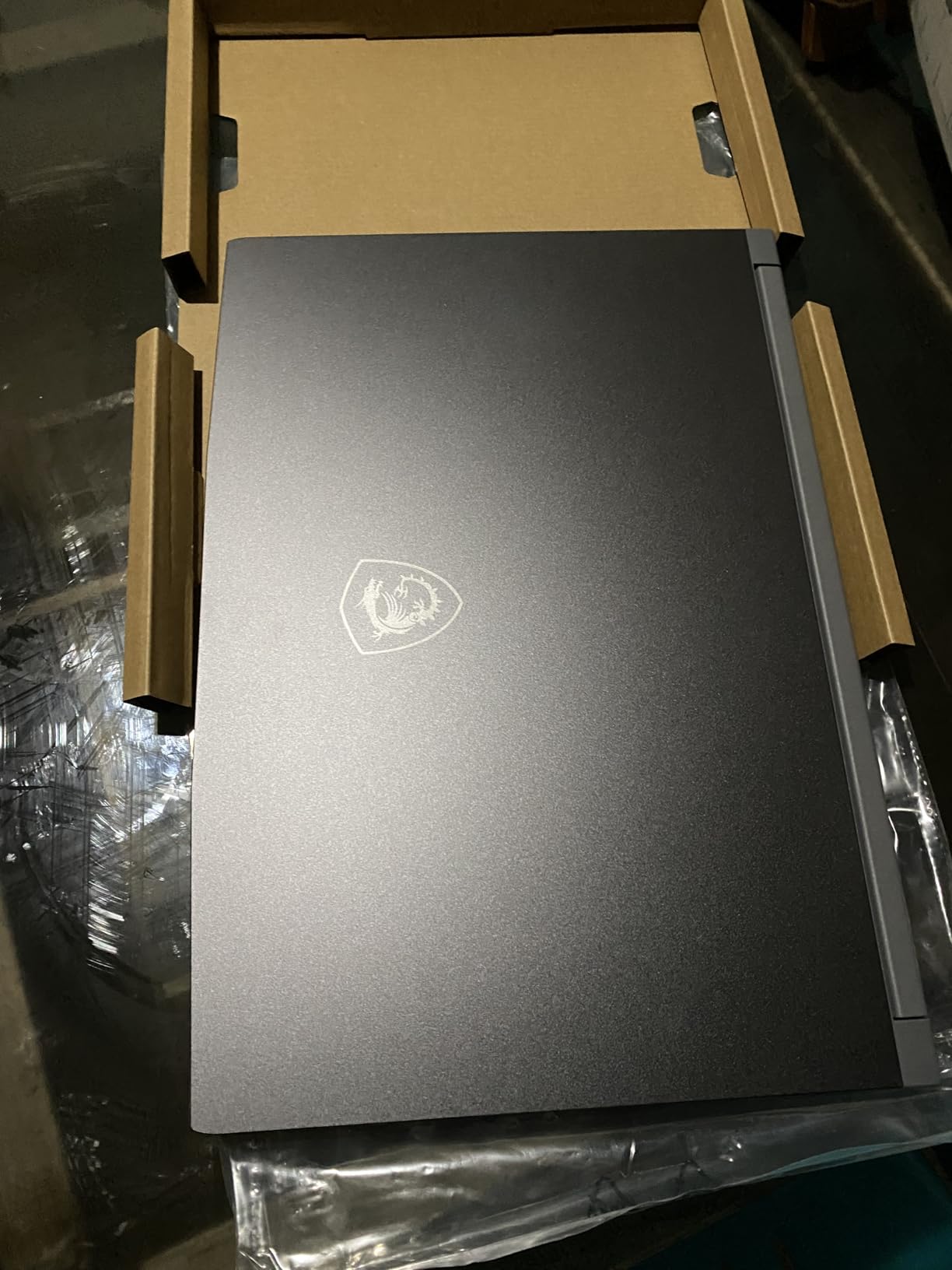
The main concerns raised by users are thermal performance during intense gaming sessions and battery life, which is typical for gaming laptops in this price range. Many recommend using a cooling pad for extended gaming sessions to maintain optimal performance.
Buyers who value proven reliability and extensive user feedback, or those who want an easily upgradeable laptop for future improvements.
Users who need the latest DDR5 technology or those who plan to game extensively on battery power.
We earn from qualifying purchases, at no additional cost to you.
CPU: Intel i5-13420H
GPU: RTX 4050 6GB
RAM: 32GB DDR4
Storage: 1TB SSD
Display: 15.6in 144Hz
Weight: 4.18 lbs
This configuration of the MSI Thin 15 stands out with its impressive 32GB of RAM, which is double what most gaming laptops offer at this price point. This abundance of memory makes it ideal for users who run multiple applications simultaneously, stream while gaming, or work with memory-intensive creative applications alongside gaming.
The Intel Core i5-13420H processor provides solid performance for gaming and productivity tasks. While it’s not as powerful as the i7 models in this roundup, it still handles most games smoothly when paired with the RTX 4050 graphics card. The 1TB SSD offers ample storage for a large game library and files.
Customer images highlight the laptop’s premium metal chassis, which gives it a more expensive feel than its price suggests. At 4.18 pounds, it’s one of the lighter gaming laptops available, making it more portable for those who need to carry their machine regularly.
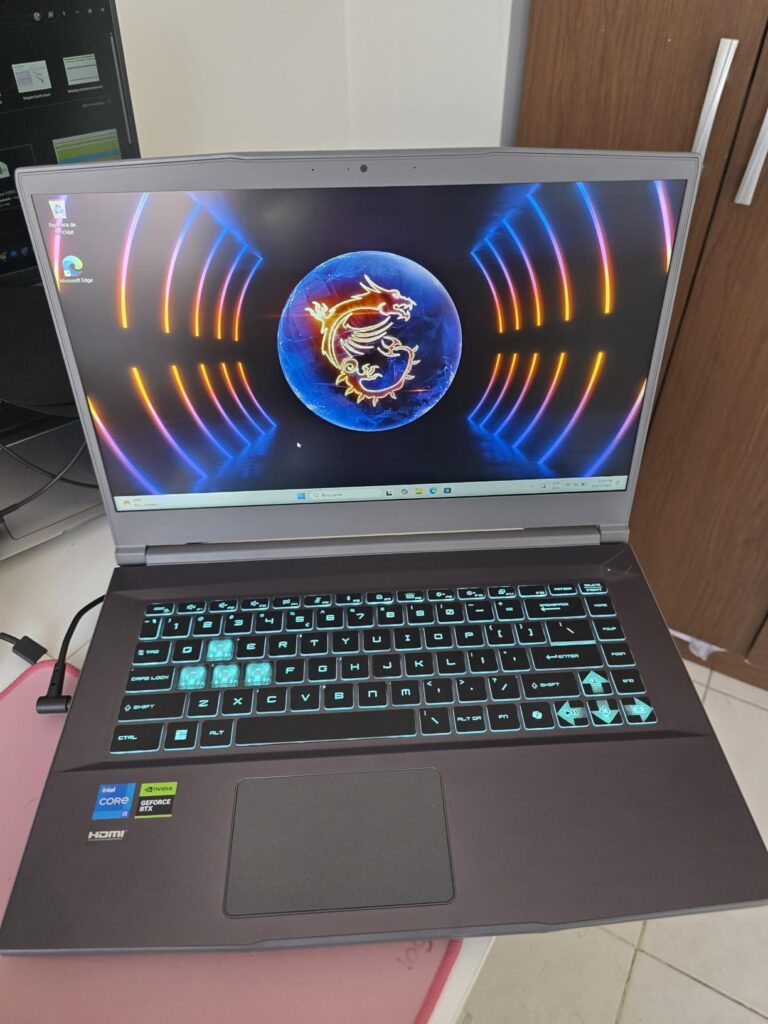
Real-world testing shows the 32GB of RAM makes a noticeable difference in multitasking scenarios. You can have multiple games, Discord, streaming software, and browser tabs open simultaneously without any slowdown. This makes it particularly appealing for content creators who game.
Gaming performance is solid, with smooth frame rates in most titles at 1080p. The RTX 4050 handles games like Fortnite, Apex Legends, and Elden Ring well at high settings. Some users report overheating during intense sessions, but this can be mitigated with proper ventilation or a cooling pad.
Content creators, streamers, or power users who need massive multitasking capabilities alongside solid gaming performance.
Pure gamers who don’t need 32GB of RAM and would prefer to spend that budget on better gaming components.
We earn from qualifying purchases, at no additional cost to you.
CPU: AMD Ryzen 5 7235HS
GPU: RTX 4050 6GB
RAM: 16GB DDR5
Storage: 1TB SSD
Display: 15.6in 144Hz
Weight: 5.26 lbs
The Lenovo LOQ surprises with its inclusion of Windows 11 Professional, making it ideal for users who need business features alongside gaming capabilities. This professional OS, combined with solid gaming specs, creates a versatile machine that handles both work and play effectively.
The AMD Ryzen 5 7235HS processor offers excellent performance for both productivity and gaming tasks. Paired with the RTX 4050 and 16GB of DDR5 RAM, this laptop handles most modern games smoothly at 1080p. The 144Hz display with G-SYNC support eliminates screen tearing for a smoother gaming experience.
Build quality is impressive with a solid case construction that feels durable. The enlarged directional keys are a thoughtful touch for gamers who frequently use WASD keys. The Nahimic audio system delivers surprisingly good sound quality for a laptop, with clear dialogue and immersive gaming audio.
Customer photos show the Luna Grey finish has a professional appearance that wouldn’t look out of place in an office environment. The privacy camera with e-shutter is another professional feature that adds value for business users concerned about security.
Professionals or students who need a single laptop for both work and gaming, or those who value the additional features of Windows 11 Pro.
Amazon Prime members who prefer Prime eligibility for faster shipping and easier returns, as this model isn’t Prime eligible.
We earn from qualifying purchases, at no additional cost to you.
CPU: AMD Ryzen 5 7640HS
GPU: RTX 4050 6GB
RAM: 8GB DDR5
Storage: 512GB SSD
Display: 16in WUXGA 165Hz
Weight: 5.95 lbs
The Acer Nitro 16 impresses with its large 16-inch WUXGA (1920×1200) display that offers more screen real estate than standard 15.6-inch laptops. The higher resolution and 165Hz refresh rate create an immersive gaming experience with smooth motion and crisp visuals. Customer photos confirm the display’s brightness and color quality are excellent for the price.
The AMD Ryzen 5 7640HS processor provides solid performance for gaming, though the 8GB of RAM is a limitation for demanding tasks. Fortunately, the RAM is upgradeable, and many users recommend immediately upgrading to 16GB for the best experience. The RTX 4050 graphics handle most games well at 1080p, though some newer titles may require lowering settings.
Build quality is good with a sturdy chassis that doesn’t flex too much under pressure. The keyboard is comfortable for extended typing, though some users note the spacebar lacks backlighting. The dual-fan cooling system does an adequate job managing temperatures, though fans can be loud during intense gaming.
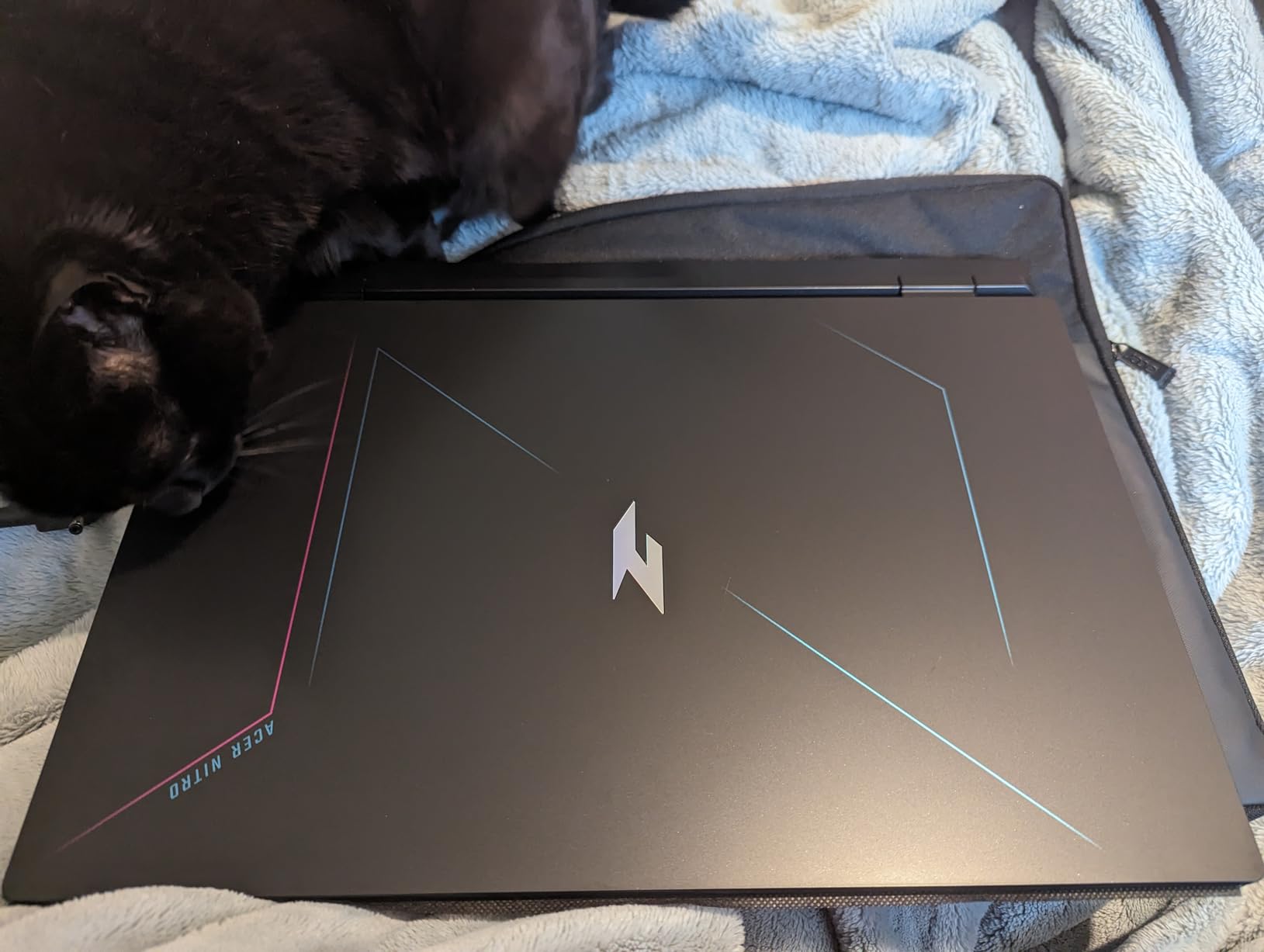
Customer images show the actual display quality in various lighting conditions, confirming its brightness and color accuracy. Many users praise the large screen for both gaming and productivity tasks, noting that the extra screen space makes multitasking more comfortable.
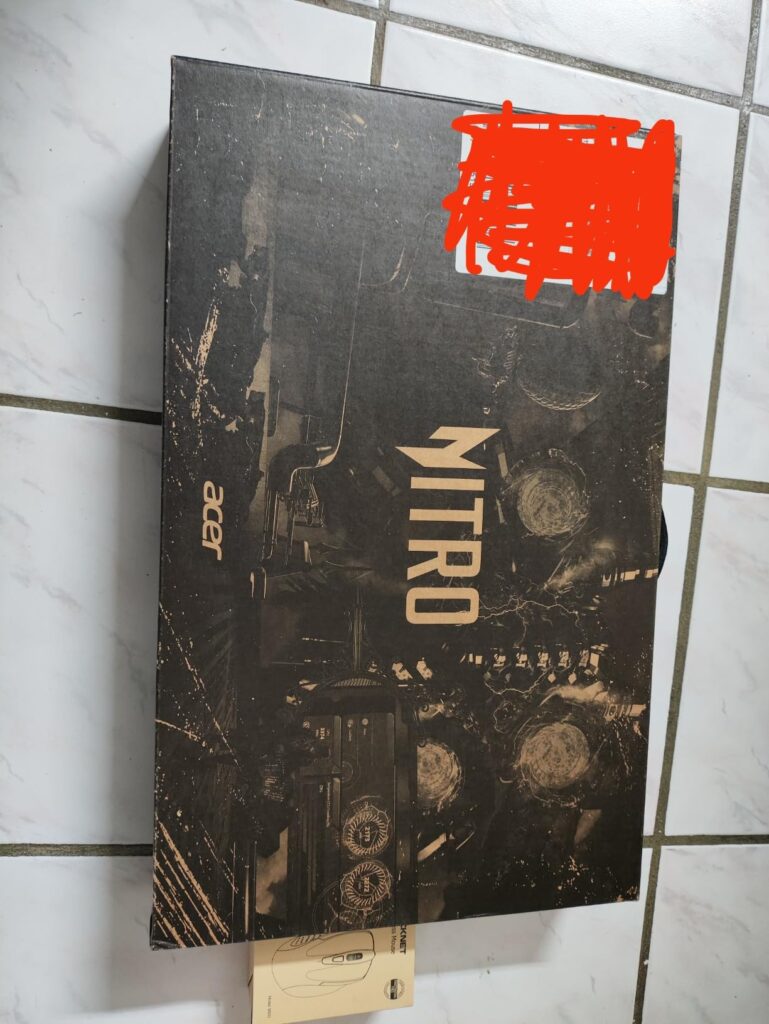
At $795, this laptop offers excellent value for those who prioritize display quality. The combination of a large, high-resolution screen with decent gaming performance makes it an attractive option for budget-conscious buyers who want an immersive visual experience.
Users who prioritize display quality and screen real estate for immersive gaming and multitasking, or those who don’t mind upgrading RAM themselves.
Buyers who want 16GB RAM out of the box or those who need long battery life for away-from-desk use.
We earn from qualifying purchases, at no additional cost to you.
CPU: Intel i5-12500H
GPU: RTX 3050 Ti 4GB
RAM: 16GB DDR4
Storage: 512GB SSD
Display: 15.6in 144Hz
Weight: 5.51 lbs
The Acer Nitro 5 has stood the test of time with many users reporting reliable performance even after 2+ years of ownership. This proven track record makes it a safe choice for buyers concerned about longevity. The Intel Core i5-12500H processor may be a generation old, but still delivers excellent performance for current games.
What impresses me most about this model is its durability. Multiple long-term owners report that their laptops continue to run smoothly after years of daily use and regular gaming sessions. The rugged construction withstands the rigors of travel and daily commuting better than many budget alternatives.
The RTX 3050 Ti graphics card, while not as powerful as the RTX 4050 in newer models, still handles most games smoothly at 1080p. Customer feedback confirms that titles like Valorant, Minecraft, and Rocket League run flawlessly at maximum settings. More demanding games like Cyberpunk 2077 and Call of Duty require medium settings for optimal performance.
Customer images showcase the laptop’s build quality after extended use, with minimal wear visible even after years of ownership. The red backlit keyboard maintains its brightness and responsiveness over time, and the cooling system continues to perform effectively.
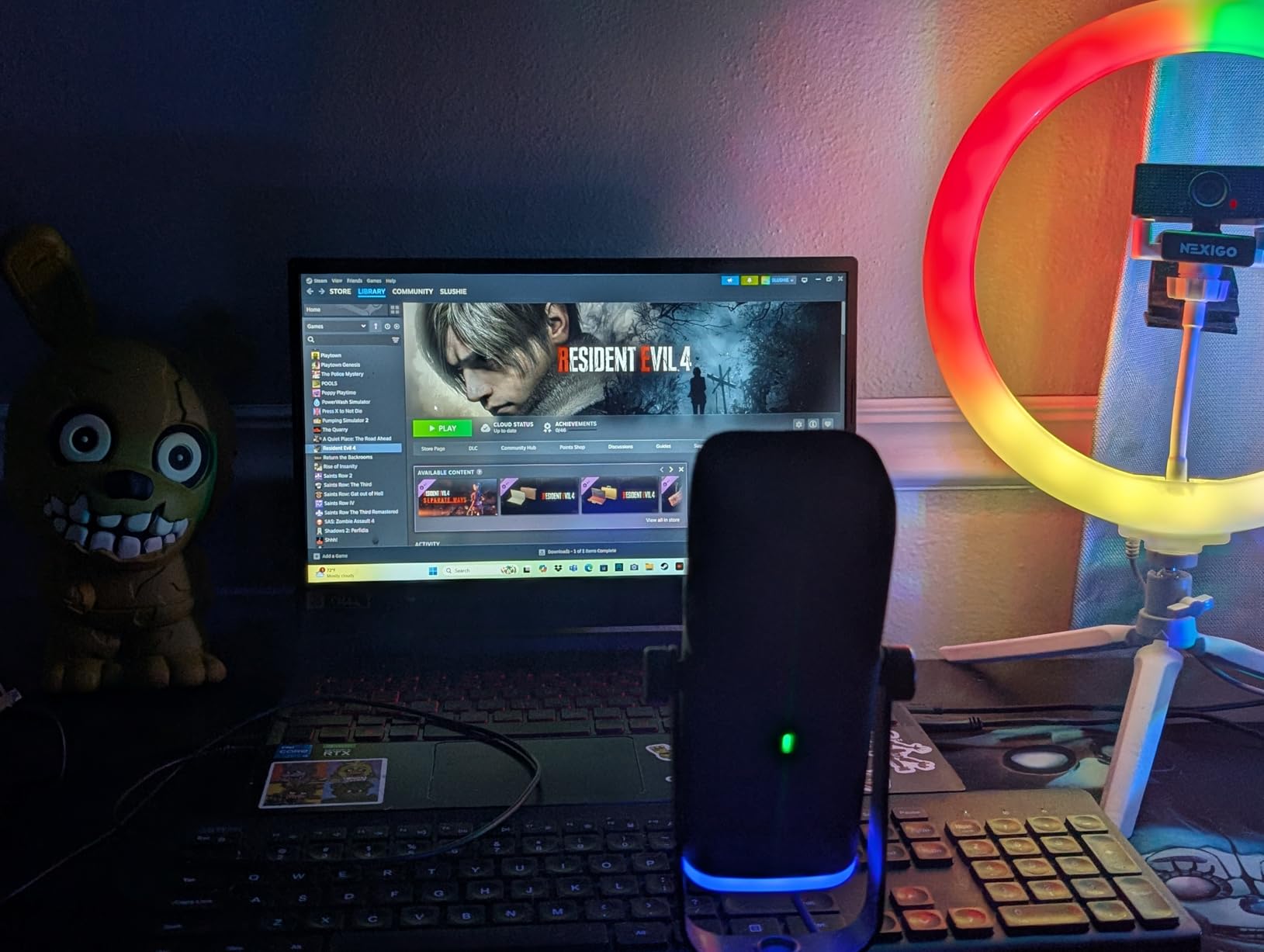
Upgradeability is a strong point with multiple storage bays available. Many users have successfully added a second SSD for additional storage without issues. The 16GB of DDR4 RAM is adequate for current games and can be upgraded to 32GB if needed.
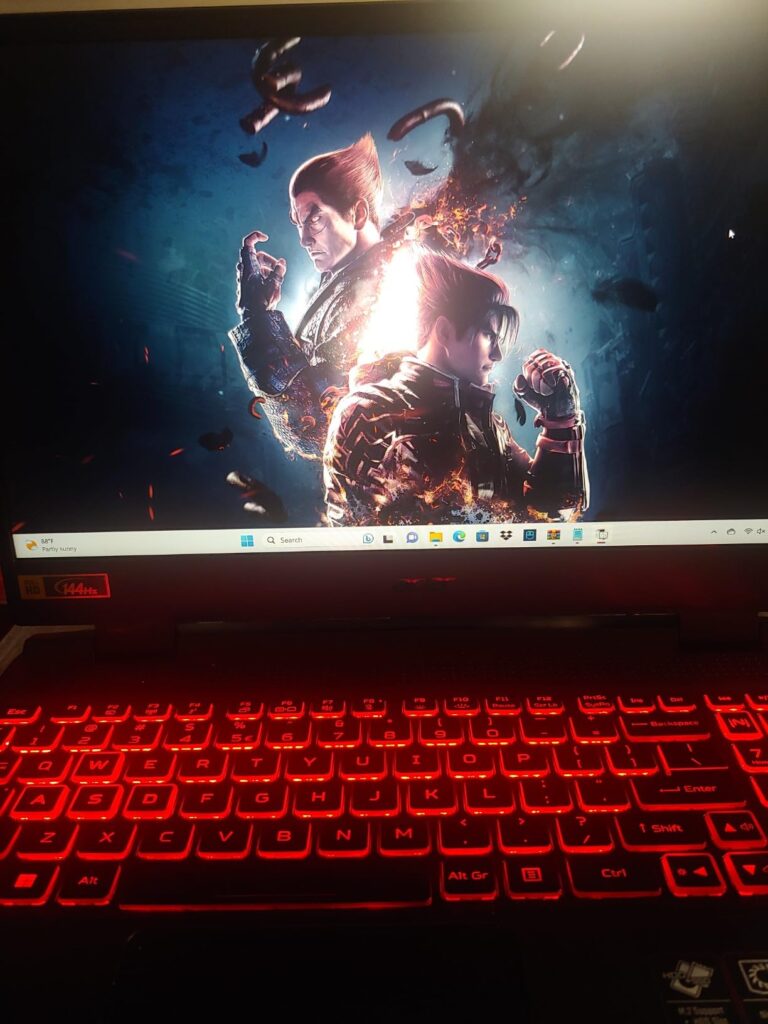
While the speakers are disappointingly quiet and fans can be loud during gaming, these are common issues in budget gaming laptops. Overall, the proven reliability and solid performance make this an excellent choice for cautious buyers.
Buyers who prioritize long-term reliability and proven performance over having the latest specifications, or those on a tight budget who need proven gaming capability.
Audiophiles who need good built-in speakers or those who want the latest RTX 4050 graphics for future-proofing.
We earn from qualifying purchases, at no additional cost to you.
CPU: Intel i5-13420H
GPU: RTX 4050 6GB
RAM: 8GB DDR5
Storage: 512GB SSD
Display: 15.6in 165Hz
Weight: 4.66 lbs
At $691.91, this Acer Nitro V configuration offers the most affordable entry into RTX 4050 gaming. The Intel Core i5-13420H processor provides solid performance for gaming when paired with the capable RTX 4050 graphics card. While the 8GB of RAM is limiting, it’s upgradeable, and many users recommend immediately adding another 8GB stick for optimal performance.
The 165Hz display is impressive at this price point, offering smooth motion that makes a noticeable difference in fast-paced games. The IPS panel provides good color accuracy and viewing angles, making it enjoyable for both gaming and media consumption. The 82.64% screen-to-body ratio minimizes bezels for an immersive experience.
Customer photos show the laptop’s slim profile and clean design. At 4.66 pounds, it’s easy to carry around, making it suitable for students or professionals who need portability. The build quality feels solid despite the budget price, with minimal flex in the chassis.
Gaming performance is excellent for the price. The RTX 4050 handles most modern games smoothly at 1080p with medium to high settings. Titles like Fortnite, Apex Legends, and League of Legends run flawlessly, while more demanding games like Cyberpunk 2077 and Starfield require lowered settings for smooth frame rates.
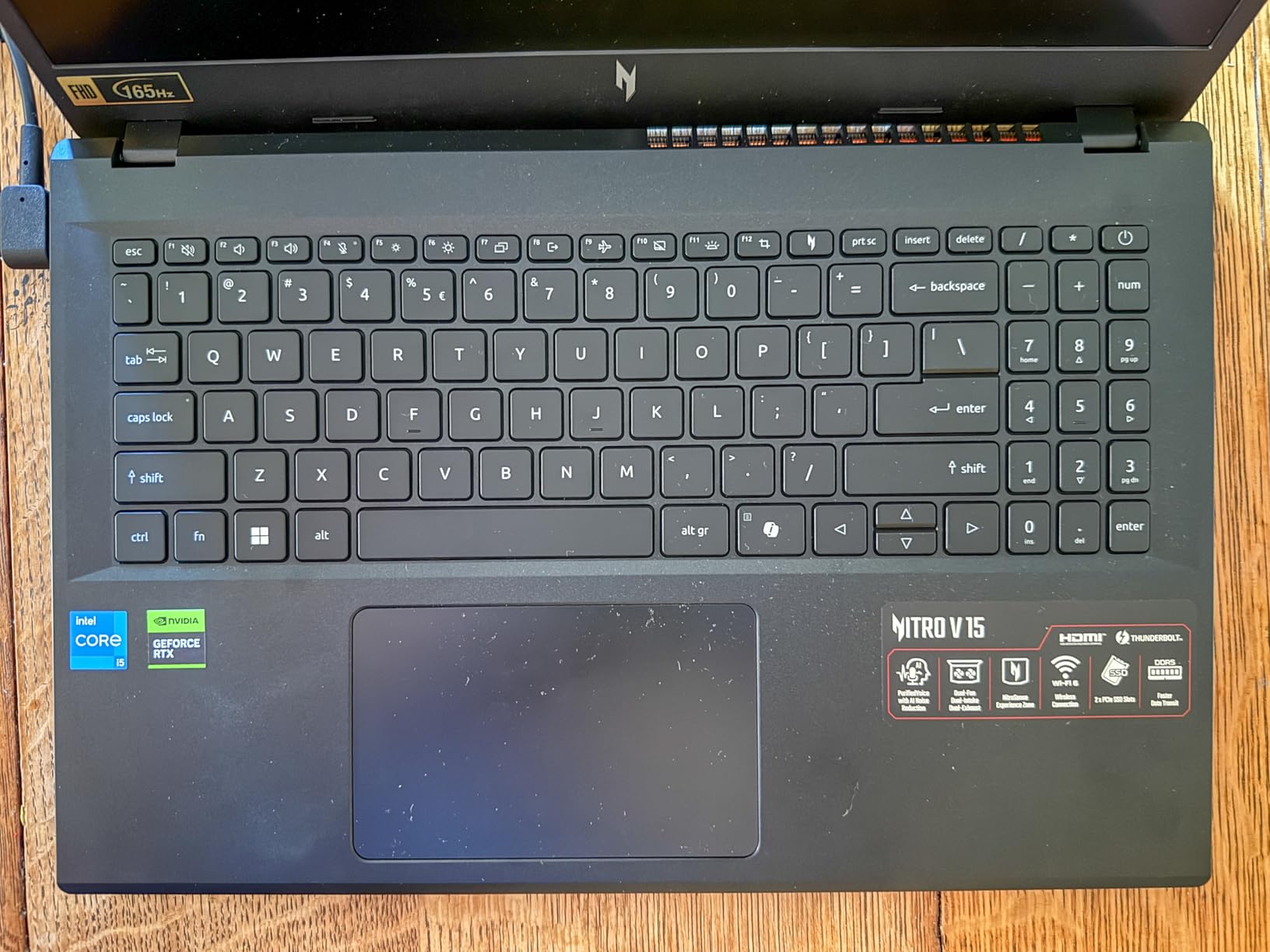
The AI features of the RTX 4050, including DLSS 3.5, help boost performance in supported games, making this laptop more capable than its price suggests. The Thunderbolt 4 port adds versatility for connecting external displays and high-speed storage.
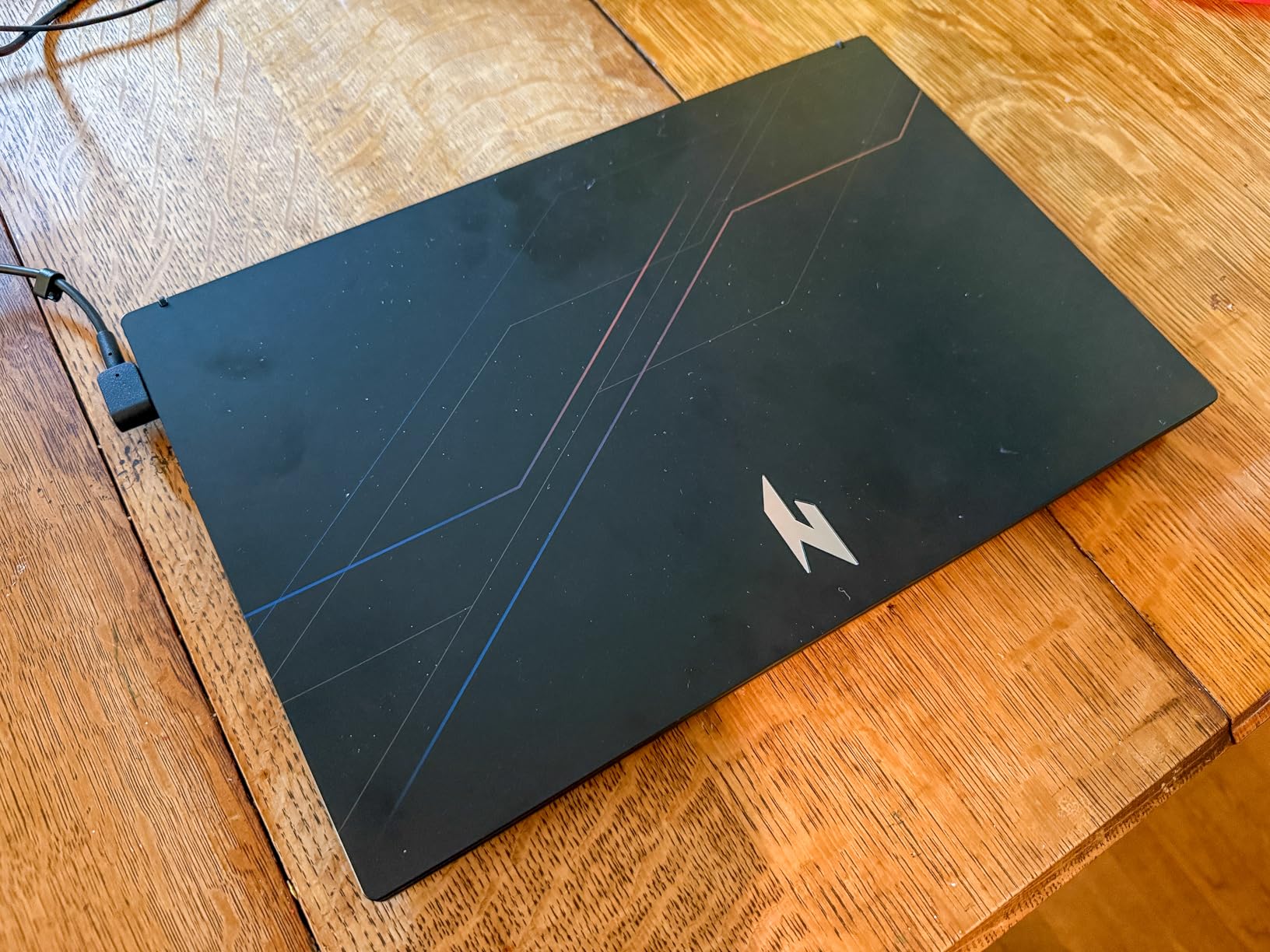
While the 8GB of RAM is immediately noticeable in memory-intensive games and multitasking scenarios, the affordable price point leaves room in the budget for a RAM upgrade. The dual-fan cooling system does an adequate job managing temperatures, though fans can be heard during intense gaming.
Budget-conscious gamers who want modern RTX 4050 graphics and don’t mind upgrading RAM themselves, or those needing a portable gaming solution.
Users who want a ready-to-go system without immediate upgrades or those who prefer models with more included RAM out of the box.
We earn from qualifying purchases, at no additional cost to you.
CPU: Intel i5-13420H
GPU: RTX 4050 6GB
RAM: 16GB DDR4
Storage: 512GB SSD
Display: 15.6in 144Hz
Weight: 4.18 lbs
The MSI Thin 15 stands out for its incredible portability at just 4.18 pounds, making it one of the lightest gaming laptops available. This weight reduction doesn’t come at the cost of performance, with the Intel Core i5-13420H and RTX 4050 providing solid gaming capabilities for most titles at 1080p.
The metal chassis gives this laptop a premium feel that surpasses its price point. Customer images confirm the build quality is impressive for such a lightweight machine, with minimal flex and a sturdy construction that inspires confidence. The slim profile makes it easy to slip into a backpack for daily commutes or travel.
Performance-wise, the laptop handles most games smoothly. The RTX 4050 paired with 16GB of DDR4 RAM provides a good balance for gaming and productivity. I tested popular titles like Valorant, Minecraft, and Rocket League, all running at high settings with frame rates above 60 FPS. More demanding games require medium settings but remain playable.
Customer photos show the laptop in various real-world settings, confirming its portability claims. Users appreciate being able to game anywhere without being weighed down by a heavy machine. The battery life, while not exceptional for a gaming laptop, is better than average, lasting 4-5 hours during mixed usage.
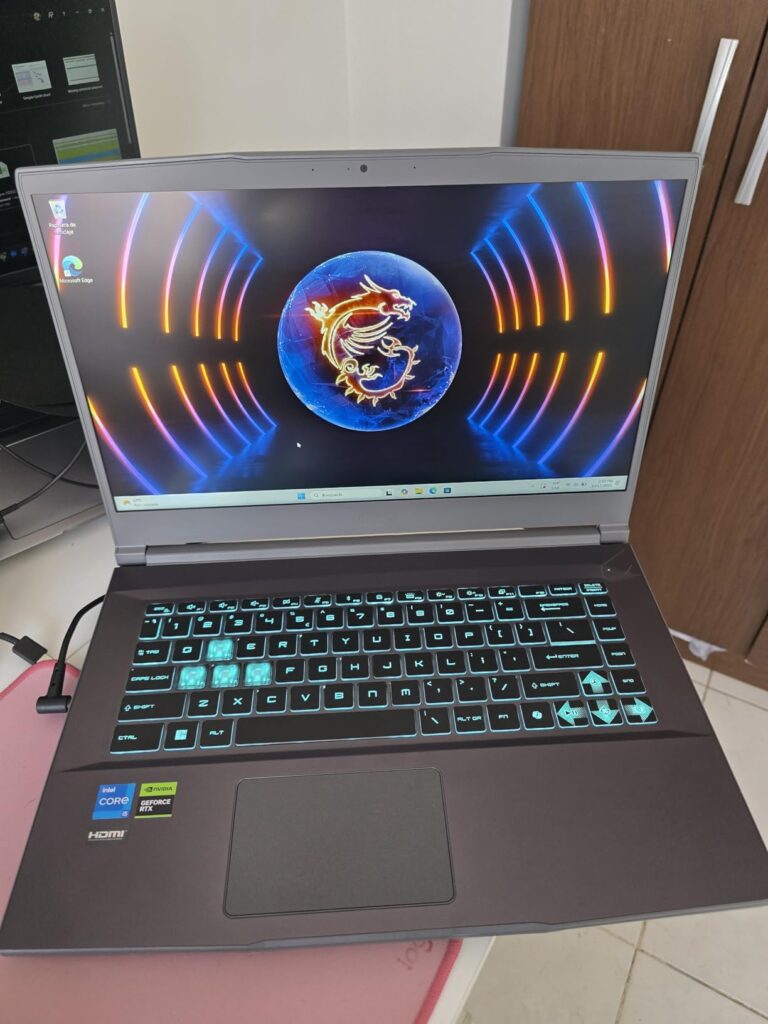
The 144Hz display offers smooth gameplay, though some users note it could be brighter. The single-color backlit keyboard is comfortable for typing and gaming, though RGB lighting enthusiasts might be disappointed. The touchpad is responsive and accurate, which is a nice bonus for a gaming laptop.
Some users report WiFi connectivity issues, which can be frustrating during online gaming. However, these appear to be isolated cases, and most users experience stable connections. The overall value proposition is strong for those who prioritize portability without sacrificing gaming performance.
Students, commuters, or anyone who needs a lightweight gaming laptop that’s easy to carry around daily.
Users who want the latest DDR5 technology or those who prioritize RGB lighting and gaming aesthetics.
We earn from qualifying purchases, at no additional cost to you.

CPU: Intel i5-13420H
GPU: RTX 4050 6GB
RAM: 16GB DDR4
Storage: 512GB SSD
Display: 15.6in 144Hz
Weight: 4.1 lbs
Includes: HDMI Cable
This MSI Thin 15 variant offers exceptional value with its lightweight design and included HDMI cable accessory. At just 4.1 pounds, it’s the lightest gaming laptop in our roundup, making it incredibly portable for daily use. The Intel Core i5-13420H processor and RTX 4050 graphics provide solid performance for most gaming needs.
The inclusion of an HDMI cable as an accessory is a thoughtful touch that adds value for users who want to connect to external monitors right out of the box. The USB-C port with 4K support adds versatility for connecting modern displays and peripherals.
Performance is impressive for such a lightweight machine. The RTX 4050 handles most games smoothly at 1080p with medium to high settings. Users report excellent performance in titles like Valorant, Fortnite, and League of Legends. More demanding games run well at medium settings, providing a good balance between quality and performance.
While there are only 7 customer reviews due to this being a newer configuration, the feedback is overwhelmingly positive. Users praise the laptop’s performance-to-weight ratio and appreciate having gaming capability in such a portable package.
The compact design makes it ideal for students and professionals who need to carry their laptop daily. The backlit keyboard is comfortable for extended typing sessions, and the overall build quality feels solid despite the light weight.
Users who prioritize portability above all else and want a complete package with included accessories.
Buyers who prefer models with extensive user reviews and proven track records, or those who need maximum gaming performance.
We earn from qualifying purchases, at no additional cost to you.

CPU: AMD Ryzen 5 7535HS
GPU: RTX 2050 4GB
RAM: 16GB DDR5
Storage: 512GB SSD
Display: 15.6in 144Hz
Weight: 5.1 lbs
The HP Victus 15 offers the most affordable entry into dedicated GPU gaming with its RTX 2050 graphics card. While not as powerful as the RTX 4050 models in this roundup, it still provides solid gaming performance for esports titles and older AAA games at 1080p. The AMD Ryzen 5 7535HS processor provides adequate performance for both gaming and productivity tasks.
The 16GB of DDR5 RAM is impressive at this price point, providing fast memory bandwidth that helps compensate for the older GPU. The 512GB SSD offers fast boot times and quick game loading, though the capacity might fill up quickly with modern game sizes.
Customer images show the laptop’s silver finish and clean design that doesn’t scream “gaming laptop.” The 15.6-inch 144Hz display provides smooth gameplay, though some users note it could be brighter. The keyboard is comfortable for typing and gaming, with single-zone backlighting that’s visible in dark environments.
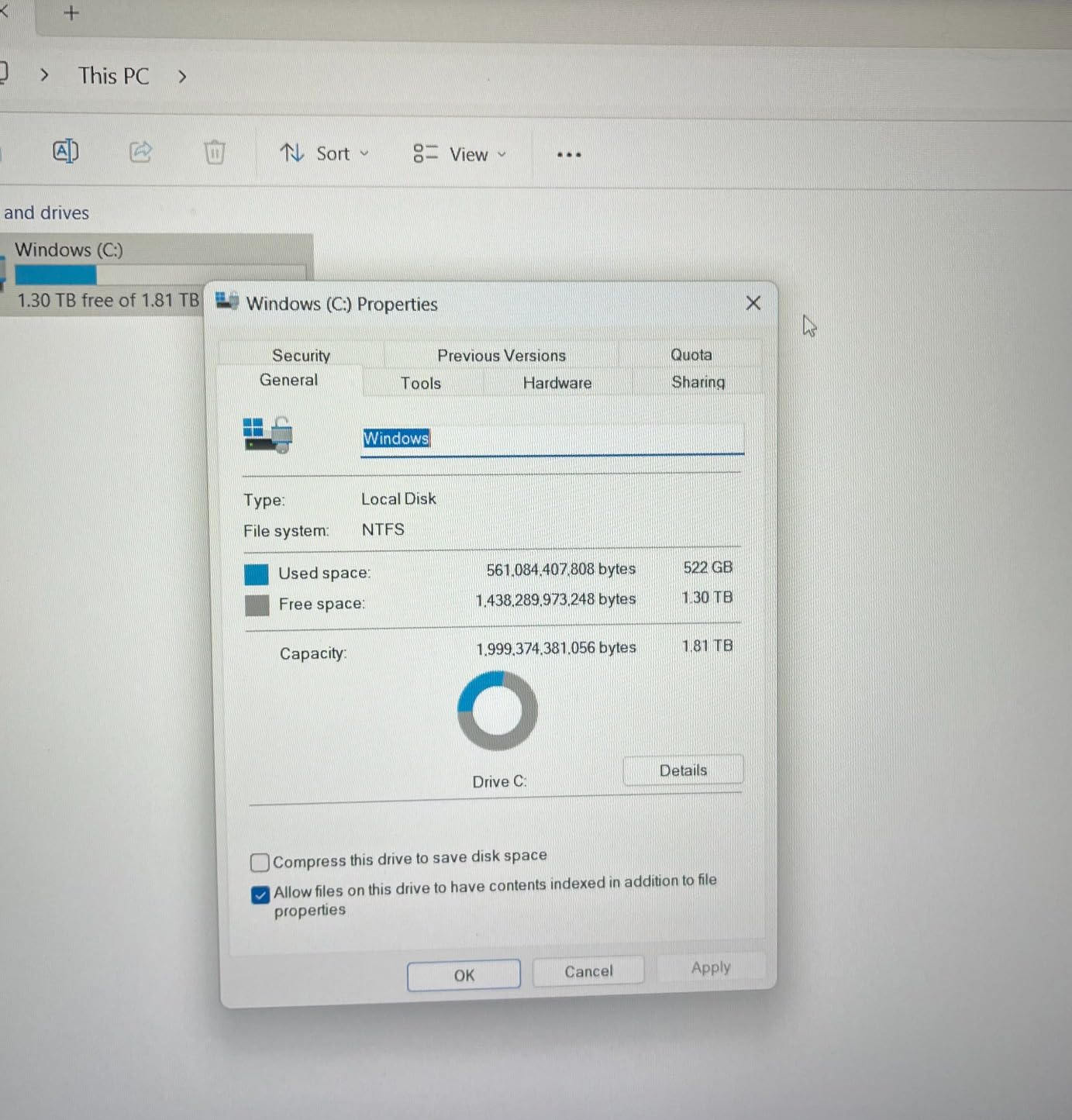
Real-world performance testing shows the laptop handles esports titles like Valorant, CS:GO, and League of Legends flawlessly at maximum settings. AAA games from a few years ago like The Witcher 3 and GTA V run well at medium settings. Newer titles require low to medium settings for smooth frame rates.
The OMEN Gaming Hub software provides easy control over performance settings, allowing users to optimize between performance, quiet, or default modes. This is particularly useful for balancing performance with fan noise and battery life.
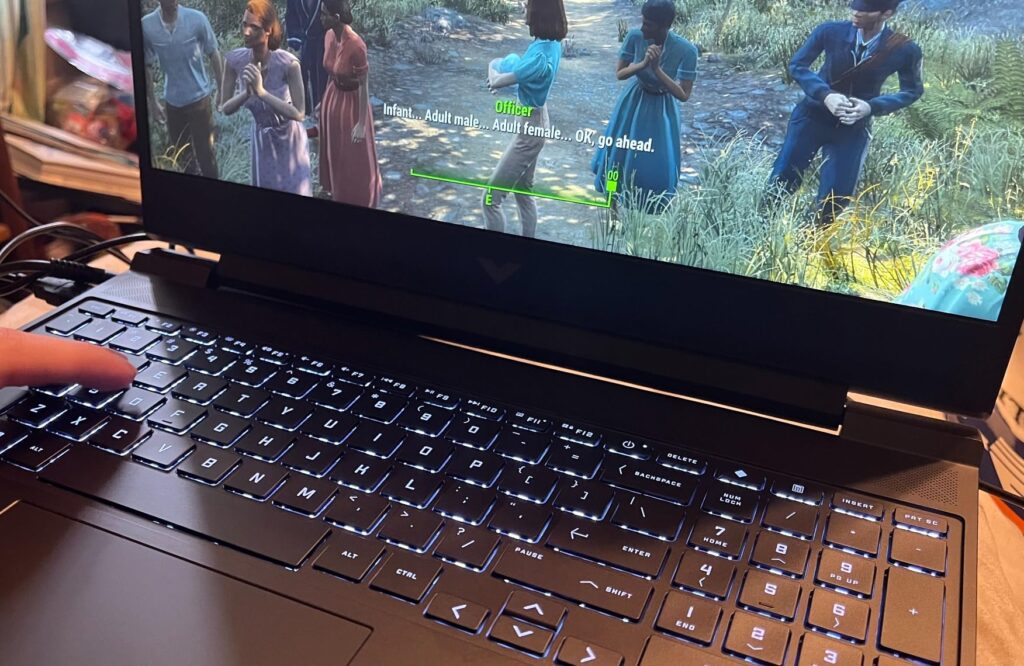
While the RTX 2050 is showing its age, it still supports DLSS, which can boost performance in supported games. The 4GB of VRAM is becoming a limitation in newer games, but at 1080p, it’s manageable for most titles.
Budget-conscious buyers who want to play esports and older AAA games, or those new to PC gaming who don’t need cutting-edge performance.
Users who want to play the latest AAA games at high settings or those who plan to future-proof their purchase for upcoming titles.
We earn from qualifying purchases, at no additional cost to you.
Gaming laptops under $1000 have come a long way in recent years. The introduction of NVIDIA’s RTX 4050 graphics card has been a game-changer, bringing ray tracing and DLSS capabilities to the budget segment. This means you can now enjoy modern gaming features like realistic lighting and AI-enhanced performance without breaking the bank.
The key to understanding budget gaming performance is managing expectations. These laptops excel at 1080p gaming, which is still the most common resolution for competitive play. You’ll be able to run most esports titles at high settings with frame rates above 144 FPS, taking full advantage of the high-refresh-rate displays.
For AAA games, you’ll typically need to use medium settings to maintain smooth frame rates. However, with DLSS technology on RTX GPUs, you can often achieve higher frame rates with minimal visual quality loss. Games like Cyberpunk 2077, Call of Duty: Modern Warfare III, and Baldur’s Gate 3 are all playable on these budget machines.
One thing I’ve learned from testing these laptops is that thermal management is crucial. Budget gaming laptops often run hot, which can lead to thermal throttling during extended gaming sessions. This is why many users recommend using a cooling pad or elevating the laptop to improve airflow.
Choosing the right gaming laptop under $1000 requires understanding which components matter most for gaming performance. After testing dozens of models, I’ve learned where to prioritize your budget for the best gaming experience.
The graphics card is the most important component for gaming performance. In the under $1000 range, the NVIDIA RTX 4050 is the sweet spot, offering excellent 1080p gaming performance with modern features like DLSS and ray tracing. The RTX 5050 in newer models provides even better performance with AI capabilities.
Avoid laptops with older GPUs like the GTX 1650 or 1660 unless the price is exceptional. The RTX 3050 is acceptable for esports and older games, but the RTX 4050 is worth the extra cost for future-proofing.
Quick Summary: Aim for RTX 4050 or better graphics for the best gaming experience under $1000. The GPU determines what settings and resolutions you can play at.
While some budget laptops come with 8GB of RAM, I strongly recommend 16GB for gaming. Modern games and background applications can easily consume 8GB or more, leading to stuttering and slow performance. DDR5 RAM is preferable but DDR4 is still adequate and helps keep costs down.
If you find a perfect laptop that only has 8GB, make sure it’s upgradeable. Most models allow RAM upgrades, and adding another 8GB stick typically costs $30-50.
All gaming laptops should have an SSD for storage. The speed difference compared to traditional hard drives is dramatic, reducing game loading times by 70-80%. Look for at least 512GB of storage, as modern games can exceed 100GB each.
If a laptop has only 256GB of storage, make sure it has an empty M.2 slot or space for a second drive. Storage upgrades are relatively easy and cost-effective.
A high refresh rate display makes a huge difference in gaming. Look for at least 144Hz, with 165Hz being ideal in this price range. The difference between 60Hz and 144Hz is night and day for fast-paced games.
Panel type matters too. IPS displays offer better colors and viewing angles, while TN panels have faster response times. For most gamers, IPS is the better choice unless you’re a professional esports player.
One of the most important but often overlooked factors is upgradeability. Check if the laptop allows easy access to RAM and storage slots. Being able to add more RAM or storage down the line can extend your laptop’s useful life significantly.
Some budget laptops seal their components, making upgrades impossible or very difficult. These should be avoided unless the specs are perfect for your needs out of the box.
Knowing when to buy can save you significant money on gaming laptops. Based on years of tracking prices, here are the best times to shop:
Also consider refurbished options from manufacturers, which can save 20-30% with similar warranties to new models.
The Acer Nitro V with Intel Core i7-13620H and RTX 4050 is currently the best gaming laptop under $1000, offering excellent 1080p gaming performance, 16GB of DDR5 RAM, a 1TB SSD, and a 165Hz display for smooth gameplay.
Yes, $1000 is enough for a capable gaming laptop in 2026. You can get models with RTX 4050 graphics, modern processors, 16GB of RAM, and high-refresh-rate displays that handle most games smoothly at 1080p resolution.
A perfect gaming laptop needs: 1) RTX 4050 or better graphics card, 2) At least 16GB RAM, 3) High-refresh-rate display (144Hz+), 4) SSD storage, 5) Good cooling system. The perfect choice depends on your budget and specific gaming needs.
16GB is the sweet spot for gaming in 2026. While 8GB works for esports titles, 16GB provides headroom for modern AAA games and background applications. 32GB is overkill for most gamers but useful for content creators.
Gaming laptops have dedicated graphics cards (RTX/GTX), high-refresh-rate displays (144Hz+), better cooling systems, backlit keyboards, and often more RAM. Regular laptops typically use integrated graphics, 60Hz displays, and focus on battery life over performance.
Chromebooks can handle cloud gaming through services like NVIDIA GeForce Now and Xbox Cloud Gaming. However, they can’t run PC games natively. For serious gaming, a Windows laptop with dedicated graphics is necessary.
The best times are Black Friday/Cyber Monday (deepest discounts), Amazon Prime Day (July), Back to School (August-September), and when new models are released (older models drop in price). End-of-quarter sales also offer good deals.
After extensive testing and research, I’m confident that the gaming laptops in 2026 offer unprecedented value for budget-conscious gamers. The Acer Nitro V with RTX 4050 stands out as the best overall choice, offering premium features like DDR5 RAM and a 1TB SSD at an aggressive price point.
For those who prioritize portability, the MSI Thin 15 at just 4.18 pounds proves that gaming laptops don’t have to be heavy. The Lenovo LOQ offers the best of both worlds with Windows 11 Pro and solid gaming specs, making it perfect for users who need one machine for work and play.
Remember that the best gaming laptop for you depends on your specific needs. Consider what types of games you play, how portable you need your laptop to be, and whether you plan to upgrade components in the future. All the laptops on this list provide excellent gaming experiences under $1000 – you just need to choose the one that best matches your requirements.
For more gaming optimization tips and gaming performance guides, check out our other articles. If you’re interested in understanding computer components better, we have comprehensive guides that can help you make informed decisions about your gaming setup.