
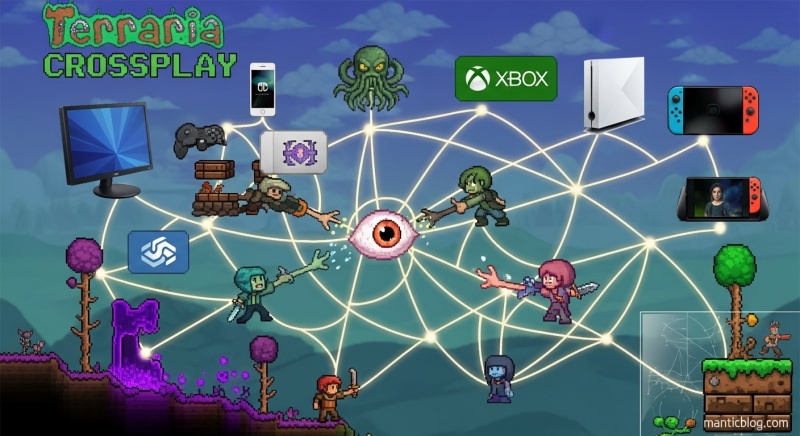
Quick Answer: Terraria has limited cross-platform support right now. iOS and Android can play together natively, and same-brand consoles work together (PS4 with PS5, Xbox One with Series X/S). PC and mobile can connect using TShock mods. Full crossplay for all platforms is coming after the 1.4.5 update drops in late 2026.
Let’s be real – you probably landed here because you and your friends are scattered across different gaming platforms. Maybe you’re on PC, your buddy’s on PlayStation, and another friend just got Terraria on their phone. You want to dig, build, and fight the Eye of Cthulhu together, but can you actually make it happen?
I’ve got some good news and some not-so-great news. But stick with me – I’ll show you exactly what works, what doesn’t, and some clever workarounds that might save your multiplayer plans.
Here’s the deal with Terraria crossplay in February 2026 – it’s complicated, but not hopeless.
If you and your friends are on mobile, you’re golden. iOS and Android players can jump into the same worlds without any hassle. Just hit “Multiplayer” from the main menu and you’re good to go. No weird setup, no third-party tools – it just works. This has been rock solid for years now.
Got a PS4 while your friend upgraded to PS5? You can still play together. Same goes for the Xbox family – Xbox One and Series X/S players can team up no problem. But here’s the kicker: PlayStation and Xbox still can’t talk to each other. And Nintendo Switch? Yeah, it’s sitting alone in the corner at this party.
This is where things get interesting. Officially, PC and mobile don’t play nice together. But the community figured out a solution using something called TShock. It’s not exactly plug-and-play, but if you’re willing to spend 20 minutes setting things up, you can actually bridge the gap between PC and mobile.
Let me break down exactly who can play with who:
| Platforms | Can They Play Together? | How It Works |
|---|---|---|
| iOS ↔ Android | ✅ Yes | Built-in, automatic |
| PS4 ↔ PS5 | ✅ Yes | Cross-generation play |
| Xbox One ↔ Series X/S | ✅ Yes | Cross-generation play |
| PC ↔ Mobile | ⚠️ Sort of | Needs TShock mod |
| PlayStation ↔ Xbox | ❌ No | Different ecosystems |
| Switch ↔ Anyone | ❌ No | Completely isolated |
| PC ↔ Console | ❌ No | Not supported |
You might be wondering why a game that’s been around since 2011 still doesn’t have full crossplay. Trust me, it’s not because Re-Logic doesn’t care. There are some legit technical hurdles here.
Each platform runs a slightly different version of Terraria. PC usually gets updates first, then console, then mobile. When everyone’s running different versions, they literally can’t connect to each other. It’s like trying to have a phone conversation when one person’s speaking English and the other’s speaking Mandarin.
Sony, Microsoft, and Nintendo all have their own rules about crossplay. Remember when Fortnite had to fight tooth and nail to get crossplay working? Same story here. These companies don’t always play nice with each other.
Think about it – mobile players use touchscreens, console players use controllers, and PC players use keyboard and mouse. Balancing all that and making sure nobody has an unfair advantage? That’s a coding nightmare.
Alright, you want to get your PC and mobile friends together? Here’s how to make the magic happen with TShock. Fair warning – this takes some technical know-how, but I’ll walk you through it.
Step 1: Download TShock Head to the official TShock GitHub page and grab the latest version (currently 5.2+). Don’t download it from sketchy sites – stick to the official source.
Step 2: Extract and Install Create a folder called “TShock” on your desktop and extract everything there. You’ll see a file called TerrariaServer.exe – that’s your golden ticket.
Step 3: Get the Crossplay Plugin This is the secret sauce. Download the Crossplay.dll file from the Terraria Crossplay GitHub. Drop it into the “ServerPlugins” folder inside your TShock installation.
Step 4: Port Forwarding (The Annoying Part) You need to open port 7777 on your router. Every router is different, but generally:
Step 5: Fire It Up Run TerrariaServer.exe, pick a world (or create a new one), set your player limit, and let it rip. When it asks about port forwarding, type “Y” since you already did that.
Step 6: Mobile Players Join On mobile, hit Multiplayer > Join via IP. They’ll need your external IP address (Google “what’s my IP” to find it) plus :7777 at the end. So it looks like: XXX.XXX.XXX.XXX:7777
Here’s where things get exciting. Re-Logic has been teasing some major crossplay news, and 2026 is shaping up to be the year we’ve been waiting for.
The 1.4.5 update is dropping in November 2025, and it’s bringing some serious crossplay improvements. Console and mobile players will finally be able to play together. That means your friend on PlayStation can join your mobile world. Xbox players can team up with Android users. It’s not full universal crossplay yet, but it’s a huge step forward.
After 1.4.5 drops and they squash all the bugs, Re-Logic plans to roll out full universal crossplay. We’re talking PC, console, mobile – everyone in the same sandbox. The developers said they’re in “the endgame now” with crossplay development.
DR Studios (they handle the console and mobile ports) has been working their butts off to make this happen. They need to sync up all the different versions, get all the platform holders to play nice, and make sure everything actually works.
When full crossplay hits, it’s gonna change everything:
Let’s talk about what each platform deals with right now.
PlayStation players are stuck in Sony’s walled garden. You can only play with other PlayStation users, and you need PS Plus for online play. On the bright side, PS4 and PS5 work together seamlessly.
Microsoft’s been pretty good about crossplay in general, so Xbox players might see improvements first. Cross-generation play works great, but you still need Xbox Live Gold or Game Pass Ultimate for online.
Switch players got the short end of the stick. No crossplay with anyone, not even other Nintendo systems. Plus, the Switch version sometimes lags behind on updates. But hey, at least you can play Terraria on the toilet.
PC players have the most flexibility with mods and workarounds, but officially can’t connect to consoles. Steam, GOG, and other PC versions can usually play together though.
Mobile actually has it pretty good. iOS and Android play together natively, and with some effort, you can connect to PC servers. Plus, it’s the cheapest way to get into Terraria (usually under $5).
Running into issues? Here’s how to troubleshoot the most common problems.
The Fix:
The Fix:
The Fix:
The Fix:
Real talk – should you buy Terraria on different platforms while waiting for crossplay? Here’s my take.
Start with PC or mobile – they’re the cheapest and have the most crossplay options. If you’re a console player, wait for a sale unless you really need it now. The Switch version is overpriced unless you absolutely need that portability.
Once full crossplay drops, having it on multiple platforms will let you play anywhere with anyone. But right now? One copy is probably enough unless you’re a die-hard fan.
While we wait for universal crossplay, here are some ways to still enjoy Terraria with friends:
Before buying, check what your friends are playing on. It’s way easier to all get on the same platform than to deal with workarounds.
If you’re on PC, Steam Remote Play lets friends join your game even if they don’t own it. It’s a bit janky and requires good internet, but it works.
Create multiple worlds on different platforms and take turns playing on each other’s systems when hanging out in person.
Each platform has active Terraria communities. Discord servers, subreddits, and forums are full of players looking for others on the same platform.
So here’s my honest take: if you’re dying to play Terraria with specific friends right now, either get on the same platform or learn to love the TShock workaround. But if you can wait until late 2025 or early 2026, full crossplay is coming and it’ll be worth the wait.
The game’s still getting major updates 14 years after launch. Re-Logic could’ve cashed out years ago, but they keep improving Terraria because they actually care about the community. When crossplay finally drops, it’ll be done right.
Nope, not yet. Xbox and PlayStation can’t connect to each other. You can only play with others on the same console family (Xbox with Xbox, PlayStation with PlayStation).
Unfortunately, no. Your characters and worlds are stuck on whatever platform you created them on. This might change with full crossplay, but right now, each platform is its own island.
Yeah, all crossplay features are free. You don’t need any special subscriptions beyond the normal online requirements for your platform (PS Plus, Xbox Live Gold, etc.).
Not right now. Switch is completely isolated from other platforms. Switch players can only play with other Switch players.
Update 1.4.5 with console-mobile crossplay is expected in November 2025. Full universal crossplay will come after that – probably early 2026.
Officially, no. There are some sketchy third-party tools that claim to do it, but they’re risky and might corrupt your saves.
Probably not. Xbox 360, PS3, Vita, and Wii U versions stopped getting updates at version 1.2.4. They’re basically abandoned at this point.
You need decent internet for any online play. For hosting, upload speed matters most – aim for at least 5 Mbps upload for smooth gameplay with multiple players.
Look, Terraria’s crossplay situation isn’t perfect right now, but it’s getting better. Mobile players have it good, console families can play together, and PC players have workarounds. The upcoming updates will finally unite the entire community.
Until then, use the solutions that work, be patient with the ones that don’t, and remember – Terraria’s still an incredible game whether you’re playing solo or with friends. The crossplay limitations are annoying, but they’re not a dealbreaker.
Keep an eye on the official Terraria forums and this guide for updates. When full crossplay drops, it’s gonna be a game-changer. Until then, happy digging, and may your hellevators be straight and your boss fights lag-free!